Lazyfeed Looks Good
from Larry Ferlazzo's Websites of the Day... by Larry Ferlazzo1 person liked this
Lazyfeed looks like a great way to create your own personalized “newspaper” of blog posts, tweets, and other resources from the social web. It’s extremely simple to choose your topics, in addition to commenting on them.
Sunday, June 27, 2010


Tuesday, April 13, 2010
Online Communication with other Schools
Blogging -Connecting Your Class to The World
Gone are the days, when you had to learn HTML code, know how to upload via FTP (File Transfer Protocol) and create images in Photoshop in order to design a website.
Nowadays, you can use a blog (platform) as an easy tool to create and update a website. Choose from thousands of template themes available online (for free) to have a well designed and good looking presence on the web.
A blog platform makes it easy to update your classroom website by simply uploading one post after another.
There is so much more to a blog though…
In previous blog posts, I talked about a Blogging Unit, a plan to start blogging with your students.
Blogging is a process of several stages. From the beginning of making a decision to integrate blogging in your classroom, then writing, commenting, linking, and embedding media to using a blog as a hub for your classroom’s learning community.
Learning Beyond Walls: 21 Skype Resources
Skype in Education
Technology 4 Kids Wiki: Skype Resources
Using Skype at School (The Dummies Series)
Skype in School Wiki
50 Ways to Use Skype in the Classroom
Student Inter-school Debating with Skype by Lois Smethurst
Giving Students Skype Jobs by Langwitches
Skype an Author Wiki
10 Ways to Use Skype in the Classroom
Motivating Adult Learners: Skype an Expert
Finding Classes to Skype
List of Classrooms Ready to Skype
Want Ads by Classes Wanting to Skype for Specific Project
Skype Other Classrooms- List by Sue Waters
EPals Global Community
Recording Skype Sessions
Automatically Recording Skype Calls with MP3 Skype
15 Apps for Recording Skype
Using PowerGramo
More Resources
Improving Skype Calls by Sue Wyatt
How to Produce Video Interviews for Your Blog With Skype
Using VuRoom to Hold A Skype Conference
Improving Skype Calls by Sue Wyatt
Langwitches Presentation: Around the World with Skype
One of the best Skype webinars I have seen! Silvia Rosenthal Tolisano’s Presentation, Around the World with Skype!
Blogging -Connecting Your Class to The World
Gone are the days, when you had to learn HTML code, know how to upload via FTP (File Transfer Protocol) and create images in Photoshop in order to design a website.
Nowadays, you can use a blog (platform) as an easy tool to create and update a website. Choose from thousands of template themes available online (for free) to have a well designed and good looking presence on the web.
A blog platform makes it easy to update your classroom website by simply uploading one post after another.
There is so much more to a blog though…
In previous blog posts, I talked about a Blogging Unit, a plan to start blogging with your students.
Blogging is a process of several stages. From the beginning of making a decision to integrate blogging in your classroom, then writing, commenting, linking, and embedding media to using a blog as a hub for your classroom’s learning community.
Learning Beyond Walls: 21 Skype Resources
“Simple Guide Tool”
Simple Guide Tool lets you create a video/audio/text chatroom for up to four people, and lets you talk and show Google Maps and its Street View of different locations of your choice.
Boy, if you had a sister class somewhere, it would be a great tool for students from each place to show the others their town or city.
Boy, if you had a sister class somewhere, it would be a great tool for students from each place to show the others their town or city.
http://teachinginquiringminds.com/2010/05/02/grade-3-skype-experience/
from Langwitches Blog by Langwitches
http://classchats.com/
ClassChats is another neat site to connect with classes from around the world.
from Larry Ferlazzo's Websites of the Day... by Larry Ferlazzo
http://www.skype.com/
Photo/Movie/Editing
Adventure Maker: visual game creation platform for PC, PSP, iPhone & iPod Touch
With the approach of the holidays, today’s featured resource is a perfect tool to share with your students before they go on break. Adventure Maker is a free, visual development environment for PCs that allows creation of a variety of games (all but two types available in the free version): Image credit: Adventure MakerThe video at the start of this post does an outstanding job highlighting the capabilities of this program and the types of games that can be created (summarized in the graphic above). The features list explains what can (and cannot) be built into various platforms. The game has a simple graphic user interface to make it easy to operate. Here’s a screenshot (theoverview page has more):
ImageBase - Hundreds of Free Stock Images
 ImageBase is a personal project of professional photographer David Niblack. ImageBasecontains more than one hundred pages of images that Mr. Niblack has released for free reuse and redistribution. In fact, the top of the ImageBase site says "treat like public domain." In addition to the hundreds of images that are available, ImageBase also offers nearly one hundred free PowerPoint templates.
I saw ImageBase posted on Twitter, but I forgot to note who shared it. If it was you, please let me know.
Applications for Education
ImageBase and sites like it are excellent resources to have your students use when they're creating multimedia projects. By sending students to sites that host public domain images or that release the images for free reuse, you remove the worry that students might violate copyright. Of course, you still want to have the conversation with your students about the difference between public domain, Creative Commons, and Copyright images.
Here are some related items that may be of interest to you:
7 Places & Ways to Find Copyright-Friendly Images
Two Good Free Guides to Digital Photography
4 Ways to View the World in Panoramic

Free image enlarger resampler

Ever wanted to take a small digital image and enlarge it - you know what will happen though - it will go all pixely and look bad...I know there are a couple of plugins for photoshop that resample and clean up the result but they are usually expensive. I've just come across an elegant solution - SmillaEnlarger - A stand alone image enlarger that does a great job of enlarging low resolution pictures without the JPG and Pixel artifacts. It's open source so it's free to use and pass on to your students. The results are simply amazing - real CSI style "Can you enlarge and enhance that picture?" that you scoff at normally.
This kind of program is really useful for interactive whiteboards when you want to work with sub optimal pictures from a phone or cropped or from the web, as your projector will really accentuate the the "jaggy" low resolution pictures.
Audioboo
Audioboo is a neat site that allows users to record audio via a web interface and then share it w/ others. There are a ton sites that do things very similar such as AudioPal but Audioboo has one of the nicest users interface.
Give Audioboo a try by clicking here.
Thanks to Larry Ferlazzo's great blog for the tip!!
Open Clip Art Library
Adventure Maker: visual game creation platform for PC, PSP, iPhone & iPod Touch
With the approach of the holidays, today’s featured resource is a perfect tool to share with your students before they go on break. Adventure Maker is a free, visual development environment for PCs that allows creation of a variety of games (all but two types available in the free version):Image credit: Adventure MakerThe video at the start of this post does an outstanding job highlighting the capabilities of this program and the types of games that can be created (summarized in the graphic above). The features list explains what can (and cannot) be built into various platforms. The game has a simple graphic user interface to make it easy to operate. Here’s a screenshot (theoverview page has more):
ImageBase - Hundreds of Free Stock Images
ImageBase is a personal project of professional photographer David Niblack. ImageBasecontains more than one hundred pages of images that Mr. Niblack has released for free reuse and redistribution. In fact, the top of the ImageBase site says "treat like public domain." In addition to the hundreds of images that are available, ImageBase also offers nearly one hundred free PowerPoint templates.
I saw ImageBase posted on Twitter, but I forgot to note who shared it. If it was you, please let me know.
Applications for Education
ImageBase and sites like it are excellent resources to have your students use when they're creating multimedia projects. By sending students to sites that host public domain images or that release the images for free reuse, you remove the worry that students might violate copyright. Of course, you still want to have the conversation with your students about the difference between public domain, Creative Commons, and Copyright images.
Here are some related items that may be of interest to you:
7 Places & Ways to Find Copyright-Friendly Images
Two Good Free Guides to Digital Photography
4 Ways to View the World in Panoramic
Free image enlarger resampler
Ever wanted to take a small digital image and enlarge it - you know what will happen though - it will go all pixely and look bad...I know there are a couple of plugins for photoshop that resample and clean up the result but they are usually expensive. I've just come across an elegant solution - SmillaEnlarger - A stand alone image enlarger that does a great job of enlarging low resolution pictures without the JPG and Pixel artifacts. It's open source so it's free to use and pass on to your students. The results are simply amazing - real CSI style "Can you enlarge and enhance that picture?" that you scoff at normally.
This kind of program is really useful for interactive whiteboards when you want to work with sub optimal pictures from a phone or cropped or from the web, as your projector will really accentuate the the "jaggy" low resolution pictures.
Adventure Maker: visual game creation platform for PC, PSP, iPhone & iPod Touch
With the approach of the holidays, today’s featured resource is a perfect tool to share with your students before they go on break. Adventure Maker is a free, visual development environment for PCs that allows creation of a variety of games (all but two types available in the free version):Image credit: Adventure MakerThe video at the start of this post does an outstanding job highlighting the capabilities of this program and the types of games that can be created (summarized in the graphic above). The features list explains what can (and cannot) be built into various platforms. The game has a simple graphic user interface to make it easy to operate. Here’s a screenshot (theoverview page has more):
With the approach of the holidays, today’s featured resource is a perfect tool to share with your students before they go on break. Adventure Maker is a free, visual development environment for PCs that allows creation of a variety of games (all but two types available in the free version):
Image credit: Adventure MakerThe video at the start of this post does an outstanding job highlighting the capabilities of this program and the types of games that can be created (summarized in the graphic above). The features list explains what can (and cannot) be built into various platforms. The game has a simple graphic user interface to make it easy to operate. Here’s a screenshot (theoverview page has more):
ImageBase - Hundreds of Free Stock Images
 ImageBase is a personal project of professional photographer David Niblack. ImageBasecontains more than one hundred pages of images that Mr. Niblack has released for free reuse and redistribution. In fact, the top of the ImageBase site says "treat like public domain." In addition to the hundreds of images that are available, ImageBase also offers nearly one hundred free PowerPoint templates.
I saw ImageBase posted on Twitter, but I forgot to note who shared it. If it was you, please let me know.
Applications for Education
ImageBase and sites like it are excellent resources to have your students use when they're creating multimedia projects. By sending students to sites that host public domain images or that release the images for free reuse, you remove the worry that students might violate copyright. Of course, you still want to have the conversation with your students about the difference between public domain, Creative Commons, and Copyright images.
Here are some related items that may be of interest to you:
7 Places & Ways to Find Copyright-Friendly Images
Two Good Free Guides to Digital Photography
4 Ways to View the World in Panoramic

Ever wanted to take a small digital image and enlarge it - you know what will happen though - it will go all pixely and look bad...I know there are a couple of plugins for photoshop that resample and clean up the result but they are usually expensive. I've just come across an elegant solution - SmillaEnlarger - A stand alone image enlarger that does a great job of enlarging low resolution pictures without the JPG and Pixel artifacts. It's open source so it's free to use and pass on to your students. The results are simply amazing - real CSI style "Can you enlarge and enhance that picture?" that you scoff at normally.
This kind of program is really useful for interactive whiteboards when you want to work with sub optimal pictures from a phone or cropped or from the web, as your projector will really accentuate the the "jaggy" low resolution pictures.
Audioboo
Audioboo is a neat site that allows users to record audio via a web interface and then share it w/ others. There are a ton sites that do things very similar such as AudioPal but Audioboo has one of the nicest users interface.
Give Audioboo a try by clicking here.
Thanks to Larry Ferlazzo's great blog for the tip!!
Give Audioboo a try by clicking here.
Thanks to Larry Ferlazzo's great blog for the tip!!
Top 10 Sites for Creating Slide Shows
 Slide shows are one of the most popular ways to integrate technology into education. No longer is it necessary for a person to have a program such as iPhoto or Power Point to create such a thing. Now there are a number of free online sites that lets users create amazing looking slide shows.
Below is my list of some of my favorite sites for doing just that...
Top 10 Sites for Creating Slide Shows
- Kizoa - Creates beautiful looking slide shows, w/ a variety of music, effects, transitions to choose from.
- Shwup - Great site for creating private collaborative slide shows w/ a number of admin features, such as the ability to allow comments.
- Photo Peach - Very unique site that allows users to create quizzes in their slide show through multiple choice questions.
- Animoto - One of the most popular sites around w/ an educational instance - nuff said.
- Slideroll - A very nice site site that allows the user to make private or allow comments.
- Flixtime - Easy to use site where a user uploads photos and selects audio and transitions and then gets a code to embed into their site.
- One True Media - Great site to create animated slide shows w/ video.
- PhotoSnack - Very user friendly site w/ a drag & drop interface.
- Pho.to - Create flash based slide shows and get an embed code to put it on a site.
- Vuvox - An excellent site for creating beautiful looking multimedia slide shows.
Best of the Web V. III
Best of the Web V. III is now up online. This presentation can be used by anyone as they see fit. I hope people will find some good resources here. This volume focuses on excellent resources for presentations/slide shows.
Top 10 Sites for Creating Slide Shows
 Slide shows are one of the most popular ways to integrate technology into education. No longer is it necessary for a person to have a program such as iPhoto or Power Point to create such a thing. Now there are a number of free online sites that lets users create amazing looking slide shows.
Below is my list of some of my favorite sites for doing just that...
Top 10 Sites for Creating Slide Shows
- Kizoa - Creates beautiful looking slide shows, w/ a variety of music, effects, transitions to choose from.
- Shwup - Great site for creating private collaborative slide shows w/ a number of admin features, such as the ability to allow comments.
- Photo Peach - Very unique site that allows users to create quizzes in their slide show through multiple choice questions.
- Animoto - One of the most popular sites around w/ an educational instance - nuff said.
- Slideroll - A very nice site site that allows the user to make private or allow comments.
- Flixtime - Easy to use site where a user uploads photos and selects audio and transitions and then gets a code to embed into their site.
- One True Media - Great site to create animated slide shows w/ video.
- PhotoSnack - Very user friendly site w/ a drag & drop interface.
- Pho.to - Create flash based slide shows and get an embed code to put it on a site.
- Vuvox - An excellent site for creating beautiful looking multimedia slide shows.
Best of the Web V. III is now up online. This presentation can be used by anyone as they see fit. I hope people will find some good resources here. This volume focuses on excellent resources for presentations/slide shows.
Quietube: Video Without the Distractions
School Clip Art - Hundreds of Free Files for Students
 School Clip Art is, as the name implies, a resource for locating free school-safe clip art. School Clip Art's galleries contain hundreds of files that teachers and students can use in slideshows, videos, and other digital presentations. You'll find galleries for sports, seasons of the year, holidays, and other special occasions.
Applications for Education
If the standard clip art that comes with PowerPoint or Keynote doesn't have what you're students need, have them browse through the galleries of School Clip Art.
Here are some related items that may be of interest to you:
NASA eClips
Open Clip Art Library
Quietube: Video Without the Distractions
 School Clip Art is, as the name implies, a resource for locating free school-safe clip art. School Clip Art's galleries contain hundreds of files that teachers and students can use in slideshows, videos, and other digital presentations. You'll find galleries for sports, seasons of the year, holidays, and other special occasions.
Applications for Education
If the standard clip art that comes with PowerPoint or Keynote doesn't have what you're students need, have them browse through the galleries of School Clip Art.
Here are some related items that may be of interest to you:
NASA eClips
Open Clip Art Library
ViewPure
ViewPure is an excellent site for "housing" YouTube and removing all inappropriate/distracting content (comments, ads, etc.).
Click here to give ViewPure a try.

For a much more detailed review, check out Free Technology 4 Teachers!!
Now This Is Really A Great New Tool For Making Timelines & Slideshows!
LIFE has just unveiled a neat new feature that lets you search for any photos in its archives and create an online timeline/slideshow that you can share with a unique url address. Their Photo Timelinelets you use their original captions or you can edit them and create your own, as well as writing your own description for your whole creation.
After you log-in (you can do so using your Twitter, Facebook, Yahoo, or Google accounts — it would be nice if they allowed on site registration, but I guess you can’t have everything!), it’s just a matter of searching and dragging the photos to your timeline/slideshow.
I’m certainly adding it to The Best Tools For Making Online Timelines, as well as The Best Ways To Create Online Slideshows.
ViewPure
ViewPure is an excellent site for "housing" YouTube and removing all inappropriate/distracting content (comments, ads, etc.).
Click here to give ViewPure a try.
For a much more detailed review, check out Free Technology 4 Teachers!!
Click here to give ViewPure a try.

For a much more detailed review, check out Free Technology 4 Teachers!!
LIFE has just unveiled a neat new feature that lets you search for any photos in its archives and create an online timeline/slideshow that you can share with a unique url address. Their Photo Timelinelets you use their original captions or you can edit them and create your own, as well as writing your own description for your whole creation.
After you log-in (you can do so using your Twitter, Facebook, Yahoo, or Google accounts — it would be nice if they allowed on site registration, but I guess you can’t have everything!), it’s just a matter of searching and dragging the photos to your timeline/slideshow.
I’m certainly adding it to The Best Tools For Making Online Timelines, as well as The Best Ways To Create Online Slideshows.
Kids Tube - Monitored Video Sharing for Kids
 Parents and teachers want to share videos of their students doing great things like music performances, plays, and other presentations. YouTube is one place that you can do that, but some parents and teachers aren't comfortable with that because of some of the "related" content that appears on YouTube. In a lot of schools YouTube is blocked so teachers are have to look for alternatives. Kids Tube might be the solution to both of these problems.
Kids Tube is a video sharing hosting and sharing site designed for hosting content produced by kids and content about kids. Kids Tube monitors all submissions and monitors comments left on videos. To encourage students to develop their videography skills, Kids Tube holds weekly videos submission contests. The contests are arranged around a theme and one winner is selected by the Kids Tube team.
Applications for EducationKids Tube could be an excellent alternative to YouTube for hosting and sharing the video projects completed by your students. If you're teaching video production and need some project ideas, check out the Kids Tubecontests for ideas.
Flixtime Adds Voiceover Capabilities
from Free Technology for Teachers by noreply@blogger.com (Mr. Byrne)
http://flixtime.com/
FlixTime, a competitor to Animoto, recently released some enhancements to their video creation services. Probably the most significant of these enhancements is a new option for adding a voiceover to your videos. To add a voiceover all you have to do is select the "add voice" option after uploading and arranging the images in your video. FlixTime will then ask for permission to access your computer's microphone. Once you've granted FlixTime permission to access your microphone you can begin recording.
MovieClips Gets Even Better!
from Larry Ferlazzo's Websites of the Day... by Larry Ferlazzo
http://movieclips.com/
MovieClips, the incredibly useful site with thousands of short movie clips classified in great ways (I’d encourage you to read “Movieclips” Is A Real Find!), has just gotten even better.
You can now create your own “mashups” of their clips. In other words, you can search for a certain them — let’s say, cooking — and put the clips related to cooking together and save them. Instead of searching for the ones you want on the site, you have them all set-up in a row.
Photo! 3D Screensaver
from Digital Tools for Teachers by Steph
http://pho.to/p3d-platform/
It offers free downloads to create Photo! 3D Album, 3D Screensaver and photo web album. It creates a realistic 3D world which displays images. You move around the environment automatically and view the different images.
http://www.yudu.com/
Free Guide - Making Videos on the Web
from Free Technology for Teachers by noreply@blogger.com (Mr. Byrne)
Creating videos is one the activities that my students really enjoy doing. They enjoy it, in large part, because the finished product is something that looks good and can easily be shared with classmates, parents, and other teachers. Often when other people see the videos my students make, they're impressed and wonder how they can do a similar activity in their classrooms. This guide was created for those teachers who would like to have their students make videos but don't have access to editing software and or video equipment. All of the resources in this guide are completely web-based.
http://www.slideshare.net/elanguages/how-to-resize-photographs-in-picture-manager
How to Resize Photos in Picture Manager
http://www.editshare.com/index.php?option=com_wrapper&Itemid=208
from The Interactive Classroom by Hall Jackson
EditShare is pleased to announce that Lightworks Academy® and Emmy® award-winning editing software is to be made available as Open Source.
Used by editors such as Chris Gill and multi Oscar-winning Thelma Schoonmaker, Lightworks offers intuitive controls, advanced real time effects, 2K native support with DPX or RED, and multi-camera editing features that remain unmatched.
Lightworks already offers capabilities far exceeding those of regular editing solutions and EditShare is working to release its full potential...
http://www.bookemon.com/my_view.php
Download and make books online.
http://picghost.com/
from Larry Ferlazzo's blog. PG is a great site for a mass upload of photos and then editing it for preview/download.
Sunday, April 11, 2010
Religious Ed
http://www.about-jesus.org/interactive-bible-maps.htm
The website About-Jesus.org hosts six interactive maps tracing stories from the New Testament of the Bible. The maps were created using Google Maps. The list of maps includes Paul's 1st, 2nd, and 3rd mission journeys, Paul's journey to Rome, a map of Jesus's ministry, and a map of the cities mentioned in the book of Revelation
from Free Technology for Teachers by noreply@blogger.com (Mr. Byrne)
Thursday, April 8, 2010
Monday, March 29, 2010
Preschool Websites
KneeBouncers.com: fine motor skill activities for the littlest learners

Came across http://www.kneebouncers.com/ a little bit ago, not exactly sure when, but I tagged it for later sharing because I was instantly impressed with it. It’s a delightful, colorful, fun, easy to navigate Flash-based website for the littlest learners who are just getting their digital feet wet. The founders have an interesting backstory, check it out when you can. The activities are simple and engaging for toddlers and Pre-K types, though Kindergarten-age youngsters who know their way around Webkinz may get bored quickly, but this site isn’t really for that age group. Would also be great for young English language learners.
They have a small shop (10% of their proceeds go to theChildren’s Aid Society, a nice touch) but also offer freedownloadables and embed codes for many (all?) of their games, so, if you like something, you can build it into a blog or website.
PreKinders
http://prekinders.com/early-childhood-search/
from Technology Tidbits: Thoughts of a Cyber Hero by dkapuler
PreKinders is a fabulous early childhood teacher's search engine. That searches websites that have only been created by Pre K and KDG teachers.
http://boowakwala.uptoten.com/kids/boowakwala-home.html
Lots of games, songs, etc.
from Digital Tools for Teachers by Steph
http://wotwots.com/americas/games/
Animal Creator. You go to the drawing board and choose the activity. Select a colour and then select from different animals for different body parts and a cartoon version is drawn. You can save the image and then go to the scrapbook and print the image. This can lead into some fun art projects and then write a description or story about the creature.
Rainbow Magic - chapter book series about fairies
http://www.rainbowmagiconline.com/
http://www.wordworld.com/ebook1/index.html
http://www.wumpasworld.com/flash.html?langue=e
Click on the different characters and students can engage in a range of activities such as searching, sorting, creative games, storytelling and many more.
Thursday, March 25, 2010
Books or Stories
Voices in the Dark
 Voices in the Dark is wonderful site for audio books that is read aloud for free. There are a number of categories to choose from such as: poems, fantasy, essay, etc.
I highly recommend checking out Voices in the Dark by clicking here!!
“ABRACADABRA” Is A Nice Reading Site From Canada
ABRACADABRA is an online reading program created by researchers in Montreal.
It has quite a few very accessible stories (with audio support for the test) and reading games.
I’m adding it to The Best Websites To Help Beginning Readers.
You can read more about the site at an article in the Montreal Gazette headlined “Cultivating the magic of reading.”
Progressive Phonics - Free Reading Program
 Progressive Phonics is a free series of ebooks that teachers and parents can use to help their students learn to read and write. Progressive Phonicsoffers free ebooks that cover everything from learning the alphabet to learning to write to learning the construction of words and sentences. As the name implies, Progressive Phonics arranges the series of free ebooks to build upon each other. You do have to register for the service, but once you do you can download the ebooks.
Thanks to my Google Teacher Academy buddy Kristen Swanson for sharing this great resource. Subscribe to her blog today.
Applications for EducationProgressive Phonics could be an excellent free resource for anyone tasked with teaching children how to read and write. The directions for the activities in the books that I downloaded appear to be very clear so as to very accessible to young learners.
Here are some related items that may be of interest to you:
Seven Places to Find Free eBooks
Google Books Adds Shelving Options
Embedding Books Into Your Blogger Blog or Google Site
Story Cove: a world of stories (and lesson plans, fun activities, and more!)
Today’s featured site comes from Monica Keenan, an outstanding Elementary ESL teacher in my school who is constantly finding free and excellent resources to enhance her students’ learning. http://storycove.com/ is a great example and a terrific find. It features a collection of folktales from around the world.
“The Lost Lunch Box”
The Lost Lunch Box is sort of a “choose your own adventure” game where players have a variety of choices to make. In the process, players have to answer math, science, and history challenges.
I’m adding the link to The Best Places To Read & Write “Choose Your Own Adventure” Stories.
Read the Words
Read the Words is a very interesting site that I just learned about from Free Technology 4 Teachers. This is a site where users upload their text and then have it converted into speech by one of fifteen different voices. A person can all save their reading, share it, or embed it into their site.

Voices in the Dark
Voices in the Dark is wonderful site for audio books that is read aloud for free. There are a number of categories to choose from such as: poems, fantasy, essay, etc.
I highly recommend checking out Voices in the Dark by clicking here!!
“ABRACADABRA” Is A Nice Reading Site From Canada
ABRACADABRA is an online reading program created by researchers in Montreal.
It has quite a few very accessible stories (with audio support for the test) and reading games.
I’m adding it to The Best Websites To Help Beginning Readers.
You can read more about the site at an article in the Montreal Gazette headlined “Cultivating the magic of reading.”
Progressive Phonics - Free Reading Program
Progressive Phonics is a free series of ebooks that teachers and parents can use to help their students learn to read and write. Progressive Phonicsoffers free ebooks that cover everything from learning the alphabet to learning to write to learning the construction of words and sentences. As the name implies, Progressive Phonics arranges the series of free ebooks to build upon each other. You do have to register for the service, but once you do you can download the ebooks.
Thanks to my Google Teacher Academy buddy Kristen Swanson for sharing this great resource. Subscribe to her blog today.
Applications for EducationProgressive Phonics could be an excellent free resource for anyone tasked with teaching children how to read and write. The directions for the activities in the books that I downloaded appear to be very clear so as to very accessible to young learners.
Here are some related items that may be of interest to you:
Seven Places to Find Free eBooks
Google Books Adds Shelving Options
Embedding Books Into Your Blogger Blog or Google Site
Voices in the Dark
Voices in the Dark is wonderful site for audio books that is read aloud for free. There are a number of categories to choose from such as: poems, fantasy, essay, etc.
I highly recommend checking out Voices in the Dark by clicking here!!
 Voices in the Dark is wonderful site for audio books that is read aloud for free. There are a number of categories to choose from such as: poems, fantasy, essay, etc.
I highly recommend checking out Voices in the Dark by clicking here!!
“ABRACADABRA” Is A Nice Reading Site From Canada
ABRACADABRA is an online reading program created by researchers in Montreal.
It has quite a few very accessible stories (with audio support for the test) and reading games.
I’m adding it to The Best Websites To Help Beginning Readers.
You can read more about the site at an article in the Montreal Gazette headlined “Cultivating the magic of reading.”
It has quite a few very accessible stories (with audio support for the test) and reading games.
I’m adding it to The Best Websites To Help Beginning Readers.
You can read more about the site at an article in the Montreal Gazette headlined “Cultivating the magic of reading.”

Thanks to my Google Teacher Academy buddy Kristen Swanson for sharing this great resource. Subscribe to her blog today.
Applications for Education
Progressive Phonics could be an excellent free resource for anyone tasked with teaching children how to read and write. The directions for the activities in the books that I downloaded appear to be very clear so as to very accessible to young learners.Here are some related items that may be of interest to you:
Seven Places to Find Free eBooks
Google Books Adds Shelving Options
Embedding Books Into Your Blogger Blog or Google Site
Story Cove: a world of stories (and lesson plans, fun activities, and more!)
Today’s featured site comes from Monica Keenan, an outstanding Elementary ESL teacher in my school who is constantly finding free and excellent resources to enhance her students’ learning. http://storycove.com/ is a great example and a terrific find. It features a collection of folktales from around the world.
The Lost Lunch Box is sort of a “choose your own adventure” game where players have a variety of choices to make. In the process, players have to answer math, science, and history challenges.
I’m adding the link to The Best Places To Read & Write “Choose Your Own Adventure” Stories.
I’m adding the link to The Best Places To Read & Write “Choose Your Own Adventure” Stories.
Read the Words is a very interesting site that I just learned about from Free Technology 4 Teachers. This is a site where users upload their text and then have it converted into speech by one of fifteen different voices. A person can all save their reading, share it, or embed it into their site.

Mother Goose Club
The Mother Goose Club has a number of rhymes and songs that provide audio support for the text.
Reading Rewards - Track Time Spent Reading
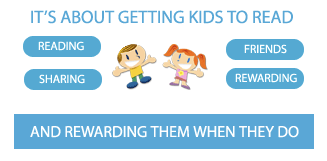 Reading Rewards is a free service that allows parents and teachers to track the amount of time their students spend reading. Students create goals in Reading Rewards then parents and teachers can reward them for reaching their goals. Every minute students read equals one Reading Reward (RR) mile. Parents and teachers can determine what the rewards will be and how many RR miles students need to earn to receive a reward.
If Reading Rewards was simply a tool for tracking student reading, I might not have written about it. What got me to write about Reading Rewards is the student networking aspect of the site. Students can connect to other students and share book recommendations. I think giving students the opportunity to share book recommendations could be a very valuable aspect of Reading Rewards. As teachers we can suggest all of the books we want and tell kids that other students like them liked a particular book, but hearing that from a peer could be much more influential in a student's decision to read a particular book.
Make and Print a Simple Flip Book
 Read Write Think provides teachers, particularly reading and writing teachers, with a wealth of information and teaching resources. One neat resource of theirs that I recently learned about through Doug Peterson is their flip book maker. Read Write Think's flip book maker provides a template for students to use to create and print a ten page flip book. Students can use the flip book maker to design pages that contain various combinations of text and images. The flip book maker provides drawing tools that students can use to create original drawings to illustrate their stories.
Applications for EducationRead Write Think's flip book maker is a nice little tool that elementary school students could use to create short fairy tales and other fiction stories to print and share with their parents.
Here are some related resources that may be of interest to you:
Word Ahead Vocabulary Videos
WeboWord - Vocabulary Visualized
Three Ways the Brain Creates Meaning
Reading Rewards - Track Time Spent Reading
 Reading Rewards is a free service that allows parents and teachers to track the amount of time their students spend reading. Students create goals in Reading Rewards then parents and teachers can reward them for reaching their goals. Every minute students read equals one Reading Reward (RR) mile. Parents and teachers can determine what the rewards will be and how many RR miles students need to earn to receive a reward.
If Reading Rewards was simply a tool for tracking student reading, I might not have written about it. What got me to write about Reading Rewards is the student networking aspect of the site. Students can connect to other students and share book recommendations. I think giving students the opportunity to share book recommendations could be a very valuable aspect of Reading Rewards. As teachers we can suggest all of the books we want and tell kids that other students like them liked a particular book, but hearing that from a peer could be much more influential in a student's decision to read a particular book.
 Read Write Think provides teachers, particularly reading and writing teachers, with a wealth of information and teaching resources. One neat resource of theirs that I recently learned about through Doug Peterson is their flip book maker. Read Write Think's flip book maker provides a template for students to use to create and print a ten page flip book. Students can use the flip book maker to design pages that contain various combinations of text and images. The flip book maker provides drawing tools that students can use to create original drawings to illustrate their stories.
Applications for EducationRead Write Think's flip book maker is a nice little tool that elementary school students could use to create short fairy tales and other fiction stories to print and share with their parents.
Here are some related resources that may be of interest to you:
Word Ahead Vocabulary Videos
WeboWord - Vocabulary Visualized
Three Ways the Brain Creates Meaning
MeeGenius - Great Tool for Elementary Teachers

I came across MeeGenius while surfing (is that still a proper term?) the Internet. It is a collection of books meant for younger students, many of the books with titles we are all familiar with. First thing I noticed is that you can personalize the books, meaning you can input other names for the main characters. So like in the book "Jack and the Beanstalk" I was able to put my son's name in place of Jack and other members of my family in the place of other characters.
Right now there are 27 books available for your reading pleasure. If you don't make any personalizations, the software will highlight each word and read the book aloud to the students in your classroom. Could be a great way for reading comprehension. I found the digital voice to be very easy to listen to...not the usual digitized computer voice we are used to hearing.
Read Print - Free Online Books, Poems, Short Stories
Read Print is a site dedicated to finding Books, Poems, and Shorts Stories online and for completely free! You can search by author and title to find what you are looking for. Just on the main page, I saw several that I know are very useful for educators. You can search for Essays, Fiction, Non-Fiction, Plays, Poetry, and Short Stories. For those schools struggling with textbook cost, Read Print might be a great option depending on what students are reading.
When you visit the main page it has a list of the top 250 authors; so to see if this site has an author you are studying that would be a great starting point. Another great section is quotes. You can search for quotes by an author or on a certain subject. What is also great is that the site offer biographical information about the authors as well.
Read Print also has a reading mode that provides a way to easily read each chapter. The negative, there are ads throughout the text, but they have to pay for the site some how. Read Print seems to be a very thorough site for online reading, especially for classrooms strapped for cash to purchase books.
MeeGenius - Great Tool for Elementary Teachers

I came across MeeGenius while surfing (is that still a proper term?) the Internet. It is a collection of books meant for younger students, many of the books with titles we are all familiar with. First thing I noticed is that you can personalize the books, meaning you can input other names for the main characters. So like in the book "Jack and the Beanstalk" I was able to put my son's name in place of Jack and other members of my family in the place of other characters.
Right now there are 27 books available for your reading pleasure. If you don't make any personalizations, the software will highlight each word and read the book aloud to the students in your classroom. Could be a great way for reading comprehension. I found the digital voice to be very easy to listen to...not the usual digitized computer voice we are used to hearing.
Read Print is a site dedicated to finding Books, Poems, and Shorts Stories online and for completely free! You can search by author and title to find what you are looking for. Just on the main page, I saw several that I know are very useful for educators. You can search for Essays, Fiction, Non-Fiction, Plays, Poetry, and Short Stories. For those schools struggling with textbook cost, Read Print might be a great option depending on what students are reading.
When you visit the main page it has a list of the top 250 authors; so to see if this site has an author you are studying that would be a great starting point. Another great section is quotes. You can search for quotes by an author or on a certain subject. What is also great is that the site offer biographical information about the authors as well.
Read Print also has a reading mode that provides a way to easily read each chapter. The negative, there are ads throughout the text, but they have to pay for the site some how. Read Print seems to be a very thorough site for online reading, especially for classrooms strapped for cash to purchase books.
GooReader - Read Google Books On Your Desktop
 Google Books is a great resource for locating books and periodical articles that you can read online for free. You can even put those books and articles into your blog or website. (Get directions here). As great as Google Books is for locating materials, it's visual appeal could use some work. That's where GooReader comes into the picture.
GooReader is a desktop application for locating, reading, and saving materials from Google Books. The visual interface of GooReader is much nicer and should be easier on the eyes for many people. If you choose to upgrade to a paid plan, GooReader will allow you to print titles. But if you don't upgrade, remember that you can print directly from Google Books for free. GooReader is currently only available for Windows. A Mac version is in development.
Watch a video overview of GooReader below.
Popout
Applications for Education
GooReader could be a good resource for reading and literature teachers who need access more titles than they or their students can find in local libraries.
“World Adventure Kids”
Jason Renshaw has unveiled his long-awaited “Choose Your Own Adventure” series titled “World Adventure Kids.” It’s a neat interactive video audio book, and there are going to be quite a few of them.
GooReader - Read Google Books On Your Desktop
 Google Books is a great resource for locating books and periodical articles that you can read online for free. You can even put those books and articles into your blog or website. (Get directions here). As great as Google Books is for locating materials, it's visual appeal could use some work. That's where GooReader comes into the picture.
GooReader is a desktop application for locating, reading, and saving materials from Google Books. The visual interface of GooReader is much nicer and should be easier on the eyes for many people. If you choose to upgrade to a paid plan, GooReader will allow you to print titles. But if you don't upgrade, remember that you can print directly from Google Books for free. GooReader is currently only available for Windows. A Mac version is in development.
Watch a video overview of GooReader below.
Popout
Applications for Education
GooReader could be a good resource for reading and literature teachers who need access more titles than they or their students can find in local libraries.
Jason Renshaw has unveiled his long-awaited “Choose Your Own Adventure” series titled “World Adventure Kids.” It’s a neat interactive video audio book, and there are going to be quite a few of them.
Book Glutton
 BookGlutton is a website that provides the ability to read books online. It has eBooks that would be of interest to educators. I saw "The Scarlet Letter" and "A Tale of Two Cities" on the website for starters. Several of the books are available for free, others are available for purchase. In the end it offers a way for students to read books for your class without having to go to the library or purchase a book. 1:1 schools could really benefit from this site when reading books in class. They do have a search option if you want to try out the site for books in your class. As they always say, you can't beat free.
Nook Study from Barnes & Noble is Now Live
 Last month I reported on a free study tool from Barnes & Noble calledNook Study. Nook Study is now available for free as a free download for Mac and Windows. Nook Study gives students access to more than 500,000 free ebooks. Students can also purchase and download other titles.
Nook Study provides more than just ebooks for students. Nook Study provides students with the ability to sort titles according to the courses they're taking. Students can use Nook Study to highlight and annotate ebooks.Nook Study also provides a search function that enables students to highlight a word then in one click search for it on Google, Wolfram Alpha, Wikipedia, and other online reference tools.
Book Glutton

 Last month I reported on a free study tool from Barnes & Noble calledNook Study. Nook Study is now available for free as a free download for Mac and Windows. Nook Study gives students access to more than 500,000 free ebooks. Students can also purchase and download other titles.
Nook Study provides more than just ebooks for students. Nook Study provides students with the ability to sort titles according to the courses they're taking. Students can use Nook Study to highlight and annotate ebooks.Nook Study also provides a search function that enables students to highlight a word then in one click search for it on Google, Wolfram Alpha, Wikipedia, and other online reference tools.
Read Print
Read Print is an interesting site that is ideal for library and reading teachers/students. This is a site that contains 1000's of free online, book, poems, and resources for anyone to use.
MeeGenius is an online library of picture books that kids can read independently or as a read along. Books can be personalized with students names, just answer a few quick questions and the book is rewritten for you. Each book comes with audio playback and word highlighting, perfect for beginning or struggling readers to read along.
From http://www.ilearntechnology.com/
StoryCorps
from The Pursuit of Technology Integration Happiness by noreply@blogger.com (Zimmer557)
http://storycorps.org/
Everyone has a story. Sometimes, everyone has a story to tell. The problem is that throughout history, there has never been someone or something to document people's stories so that we have a historical perspective from many people. StoryCorps hopes to improve our ability to document peoples thoughts and lives.
The mission of StoryCorps is "to provide Americans of all backgrounds and beliefs with the opportunity to record, share, and preserve the stories of our lives." Every story will be recorded to a CD for free. It is also stored at the American Folk Life Center at the Library of Congress. Recently they released an iPhone App that allows you to listen and share stories. It only has tips for recording your own, no recording from the Phone yet.
Beatrix Potter http://www.peterrabbit.com/us/index.asp has captured the imaginations of countless children with her classic Peter Rabbit tales. The World of Peter Rabbit is as enchanting as the stories, bringing Beatrix Potter’s incredible artistry to life. The whole site is fashioned into a virtual popup book where students can meet the characters, watch videos of the stories, play games, and find fun things to make and do offline. Students can play a game of find Peter (before Mr. McGregor does!), take part in an Easter egg hunt, collect snowflakes to earn special downloads, help Peter find his way through a maze, and play a vegetable picking game. Students can read character descriptions of each of Beatrix Potter’s characters and even watch video clips of Peter Rabbit. Students can also create their very own interactive Peter Rabbit puppet show. They can star in the puppet show by uploading a picture of themselves or a favorite pet.
http://www.carnegielibrary.org/kids/storymaker/storymaker.swf
Grades 1-7 will love to make stories appear!!
http://www.smories.com/
Smories
from Technology Tidbits: Thoughts of a Cyber Hero by dkapuler
Smories is a fun site that I just learned about from Zarco English. This is a site where kids read stories for kids. My only gripe is that I wish it would've had pictures to go along w/ the story telling. This would be ideal for the younger kids.
Wired for Books
from Technology Tidbits: Thoughts of a Cyber Hero by dkapuler
http://wiredforbooks.org/
Wired for Books is an excellent site for pieces of literature such as poems, plays, lectures, and interviews. I'd like to thank the wonderful blog ZarcoEnglish, for reviewing such an interesting site.
What makes WFB so great for educators is the ability to hear/download interviews of these great authors and even view some of these stories by clicking on KidsCorner.
http://www.epubbud.com/
from iLearn Technology
ePub Bud is a new online application that lets you create your own eBooks for free. It seems quite easy to use, and lets you grab images off the web as well.
Free Printable Books
from Larry Ferlazzo's Websites of the Day... by Larry Ferlazzo
http://larryferlazzo.edublogs.org/2009/07/31/the-best-sources-for-free-accessible-printable-books/
http://www.projectexplorer.org/
from Technology Tidbits: Thoughts of a Cyber Hero by dkapuler
Project Explorer is a great site for providing online adventures broken down by chapters. Each chapter is broken down in different categories that pertain to different countries. These categories contain a number of media types such as video, audio, and photos.
Choose your own adventure: http://larryferlazzo.edublogs.org/2009/05/02/the-best-places-to-read-write-choose-your-own-adventure-stories/
http://www.rif.org/kids/leadingtoreading/en/leadingtoreading.htm
It contains a collection of stories, songs and games. The animated stories highlight each word as it is spoken which makes it easier for students to read along. The story can be paused to focus on teaching points. The collection of stories for school age children is limited at this stage although I expect it will continue to grow. The site is very easy for non-readers to navigate as each option is spoken when you hover your mouse over it.
from Integrating Technology in the Primary Classroom by Kathleen McGeady
Signed Stories http://www.signedstories.com/page/index.cfm
It’s got lots of great books to see in sign language and subtitles. Hearing family and friends can listen to the stories too. You can all watch together! We’ll add more books. So keep coming back to see what’s new.
from Integrating Technology in the Primary Classroom by Kathleen McGeady
http://teacher.scholastic.com/writewit/poetry/flash_pie.htm
After students learn about the poetry, they have a chance to create their own poem with the Poetry Idea Machine interactive.
http://www.scholastic.com/kids/stacks/books/?lt=stacks/nav/books_and_authors
Allow your students to use The Stacks to find new reading material, and to interact with other students about the books they are reading. Many of the activities would make nice extensions to your curriculum. The choose your own adventure game would be fun to play as a whole class on the interactive whiteboard.
http://www.overdrive.com/
Digital Library Reserve®
The leading download service for 9,000 public libraries worldwide
School Download Library™
OverDrive® School Download Library® extends your school library with eBook and audiobook downloads from your school's website. It's based on a proven platform currently serving 9,000 public libraries worldwide: Students install free software on their computers, browse the secure website for assigned reading or recreational titles, check out their selections with an existing library card (or other ID), then download audiobooks and eBooks to their desktop or laptop computer. They can even transfer most titles to supported mobile devices like iPod® and Sony® Reader™!
AudioBook Classroom™
Listen on every school computer
http://emedialibrary.lib.overdrive.com/7C3F9E35-826C-4571-8404-858BFDA5D418/10/384/en/Help-Reader-Format25.htm
From iLearn technology:
http://www.onlineaudiostories.com/
Online Audio Stories is an impressive collection of free audio stories online. The audio books are all free and downloadable. The online version of the story includes accompanying text for students to follow along with. The short stories will transport students on a fun adventure of listening to fairy tales and classics. The extensive collection includes stories by Mark Twain, Robert Louis Stevenson, Brothers Grimm, Tales of Time, Edgar Allen Poe, Emily Bronte, Aesop, Lewis Carroll, Edward Lear, Joseph Jacobs, Henry Wadsworth Longfellow, William Blake, Oscar Wilde, Louisa May Alcott, Hans Christian Andersen, William Shakespear, and many more. The stories are read with excellent voice, inflection, and timing, making them a joy to listen to.
http://storynory.com/
Every week Storynory publishes a new audio story read by Natasha whose lovely voice will charm and beguile you.
We draw on fairy tales by the Brothers Grimm or Hans Christian Anderson.
We seek out unusual stories from around the world.
We have the entire audio book of Alice in Wonderland by Lewis Carroll.
And Storynory brings you original children's stories including Prince Bertie the Frog, The Ordinary Witch, and Theo the Monkey
http://www.audible.com/
Come join the millions of listeners who've discovered a new way to receive the entertainment, information, and knowledge they seek. In addition to audiobooks, we're home to magazines, radio shows, podcasts, stand-up comedy, and speeches from icons who shape our culture, politics, and business world. We feature the best narrators interpreting books by top authors.
Subscribe to:
Posts (Atom)